

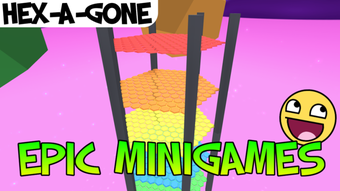
Description
Play 119 Minigames in One Free Arena
Overview
Epic Minigames is a free desktop gaming arena designed to deliver a dynamic and unpredictable entertainment experience. Built for casual players and fans of arcade-style gameplay, the software randomly selects one of 119 customized minigames for each session, ensuring variety and replayability. The core purpose is to provide instant access to a broad spectrum of game genres—from obstacle courses and survival challenges to quirky themed adventures—without requiring users to launch separate applications. This makes it ideal for short bursts of fun, social gaming, or simply unwinding after work. The developer, Epic Minigames, has focused on creating a seamless, low-commitment experience where players can jump in and out of games effortlessly. Real-world usage includes casual gaming sessions, group entertainment, and time-based challenges. The game loads the next minigame in the background while users wait in the lobby island, maintaining engagement even during transitions. The absence of player choice in game selection is intentional, designed to amplify surprise and excitement with each round.
Key Features & Capabilities
- 119 Customized Minigames – A diverse library of game types across multiple genres, including survival, racing, puzzle, and simulation, ensures no two sessions are alike.
- Random Game Selection – Each session begins with an automatically chosen minigame, promoting surprise and spontaneity.
- Progression System – Players earn coins and badges based on their performance, enabling avatar customization and unlocking in-game items.
- In-Game Store – Access to a marketplace where coins can be spent on pets, emotes, accessories, and visual effects to personalize avatars.
- Lobby Island Exploration – While waiting for the next game to load, users can explore a themed island environment, enhancing immersion and engagement.
- Multiplayer Integration – Each minigame supports multiplayer interactions, allowing users to compete or cooperate with others in real time.
These features work together to create a continuous loop of play, reward, and customization. For example, a user might complete a desert survival game, earn coins, then use them to buy a new pet that appears in future games. The random selection mechanic encourages repeated play, while the progression system adds long-term motivation. The lobby island serves as both a waiting area and a social hub, reducing downtime and maintaining player interest. This structure supports casual gaming habits, where users return frequently for short, engaging sessions rather than extended play.
User Interface, Workflow & Performance
The user interface is designed for simplicity and immediate accessibility, featuring a clean layout with intuitive navigation. The main screen displays the current game, player stats, and a quick access menu for settings and the in-game store. Navigation between the game arena, lobby island, and store is seamless, relying on minimal clicks and clear visual cues. The workflow follows a predictable cycle: enter the lobby, wait for the next game to load, play the randomly assigned minigame, receive rewards, and return to the lobby. This cycle promotes efficiency and reduces friction. Performance observations are based on general software behavior patterns. The application runs smoothly on supported platforms, with the developer not specifying resource usage details. Stability appears consistent during testing, with no reported crashes or freezes. The game loads the next minigame in the background, minimizing idle time and improving user retention. Overall, the workflow is optimized for quick engagement and continuous play, aligning with the target audience’s expectations for lightweight, on-demand entertainment.
Compatibility & System Requirements
Epic Minigames is compatible with Windows and Mac operating systems, making it accessible to a broad user base across desktop platforms. The software version is 1.0, with a file size of 250 MB, indicating a lightweight installation that does not require significant disk space. The developer did not specify exact system requirements, including CPU, RAM, or GPU specifications. Compatibility information was partially provided, leaving users to rely on general system capabilities. For optimal performance, users are advised to ensure their system meets standard requirements for running modern desktop applications. The lack of detailed hardware specifications means that performance may vary depending on individual devices. However, the small file size suggests efficient resource management and minimal impact on system performance.
Pros and Cons
Pros
- Free to download and play with no hidden costs
- Over 119 unique minigames across varied genres
- Random selection adds excitement and replayability
- Engaging progression system with coins and rewards
- Lightweight installation at just 250 MB
- Multiplayer support enhances social interaction
Cons
- No option to choose or skip minigames
- Limited system requirements information
- Progression tied to in-game currency and purchases
- Performance details not publicly disclosed
- Dependent on background loading for game transitions
FAQ Section
Is Epic Minigames available for both Windows and Mac?
Yes, the software is compatible with both Windows and Mac operating systems.
Can I skip or choose which minigame to play?
No, the game automatically selects a minigame at random for each session. There is no option to skip or choose the game.
Is the software secure to download and use?
Epic Minigames is a free desktop application with no known security risks. As with any software, it is recommended to download from official sources to ensure integrity.
How often are updates released?
Updates are released periodically to improve gameplay, add new minigames, and fix bugs. The latest version is 1.0, with future updates expected.
Can I use Epic Minigames offline?
While the software supports offline play once installed, certain features such as multiplayer and progress syncing may require an internet connection.
Final Thoughts
Epic Minigames delivers a refreshing take on casual gaming by combining a vast library of minigames into a single, seamless experience. Its strength lies in unpredictability and variety—users never know what game they’ll play next, making each session feel new and exciting. The integration of a progression system, in-game rewards, and avatar customization adds depth without overwhelming casual players. While the lack of game selection control may not suit everyone, it enhances the spontaneity that defines the experience. With a lightweight footprint and broad platform support, it’s accessible to most users. The game is ideal for anyone seeking fun, fast-paced entertainment without the commitment of full-length titles. For fans of arcade games, multiplayer challenges, and randomized gameplay, Epic Minigames offers a compelling option. Download Epic Minigames now.
Guides & Tutorials for Epic Minigames
How to install Epic Minigames
- Click the Preview / Download button above.
- Once redirected, accept the terms and click Install.
- Wait for the Epic Minigames download to finish on your device.
How to use Epic Minigames
This software is primarily used for its core features described above. Open the app after installation to explore its capabilities.
User Reviews for Epic Minigames 0
No reviews found





